
Introduction to SoftDraft QuickBlock
The SoftDraft QuickBlock App is a powerful tool designed for AutoCAD users, streamlining the process of creating CMU block wall sections in your drawings. This application is particularly beneficial for professionals in fields such as architecture, construction and engineering, who frequently require the creation of repetitive design elements. In this blog post, we will explore how QuickBlock simplifies the process and enhances efficiency.
How QuickBlock Integrates with AutoCAD
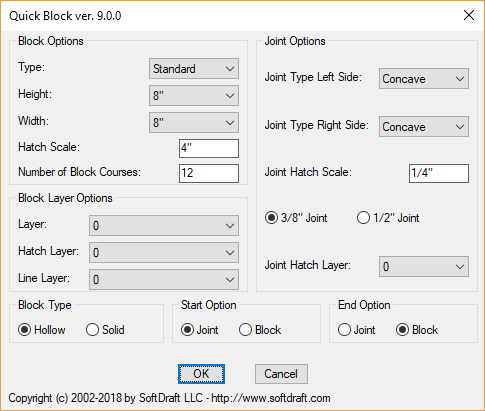
QuickBlock is easy to install and integrates seamlessly with AutoCAD. Once installed, it allows users to quickly create CMU Block wall sections. The app enables you to modify properties, such as layer and color, ensuring that the blocks conform to project standards. This level of control makes it easier to manage complex drawings and maintain consistency across your work.
Features and Benefits of QuickBlock
One of the standout features of SoftDraft QuickBlock is its user-friendly interface. Users can create CMU block wall sections in just a few clicks, significantly reducing the time spent on the task.
Moreover, QuickBlock supports a variety of block styles and configurations, making it a versatile addition to any AutoCAD toolkit. Users also benefit from improved organization within their drawings, as blocks can be easily managed and modified without affecting the original elements.
In conclusion, the SoftDraft QuickBlock app is an essential tool for AutoCAD users looking to enhance their productivity and streamline their design process. By reducing the time required to create CMU block references, it allows designers to focus on more critical aspects of their projects, leading to improved overall performance.